Super Sale
Limited Time 50% OFF for All-Access Plans
Save 50% Now



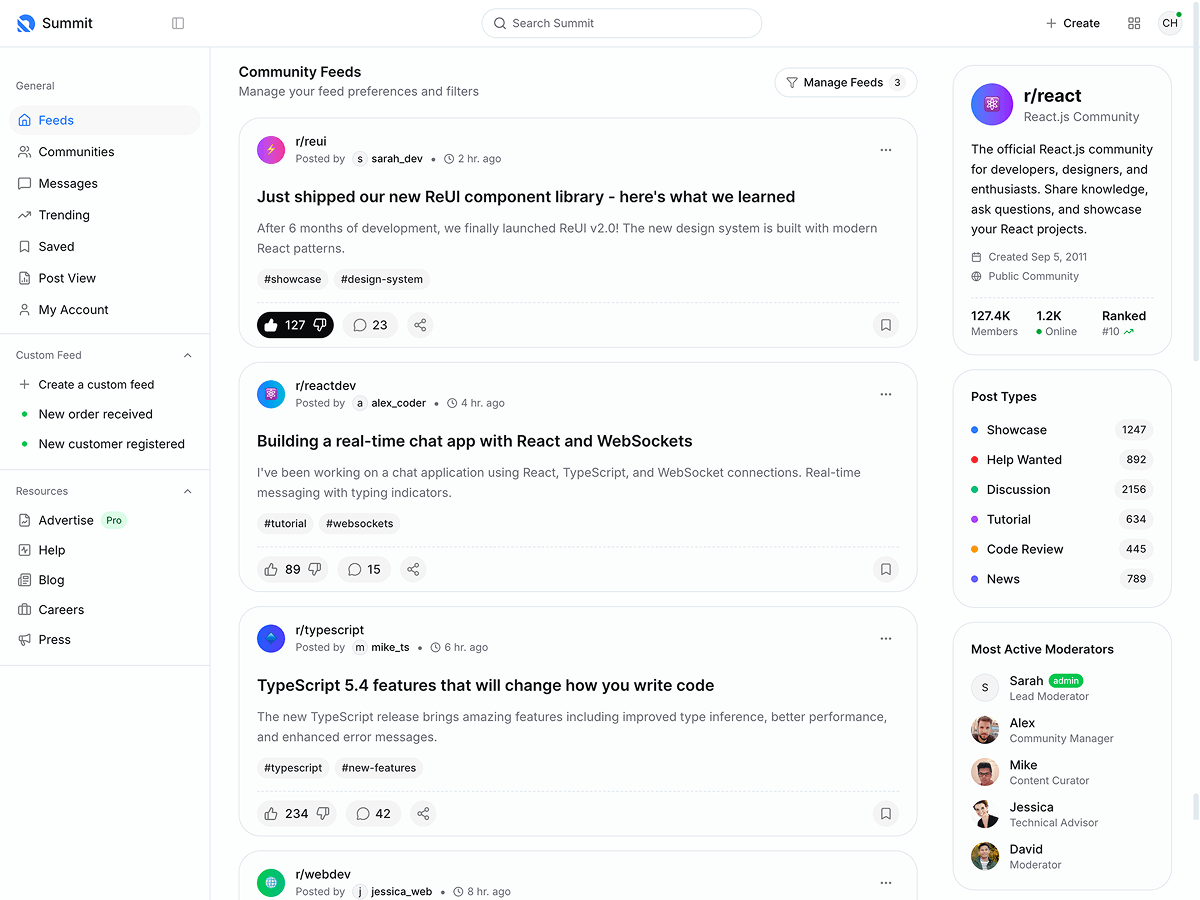


Metronic 9 Tailwind React Version - Beta Access
Hey Metronic Community!
We're thrilled to announce the Beta Testing phase for our upcoming Metronic 9 Tailwind React + Base UI version!
This is your chance to get an exclusive first look at the latest evolution of the Metronic 9 React Toolkit and help shape its future.
What's New?
Metronic 9 comes to React in a 100% native way, combining the flexibility and efficiency of Tailwind CSS and MUI Base. We've integrated our exclusive in-house developed React components such as Menu, Accordion, Scrollspy, Datatable, and more to provide a solid foundation for your React projects.
Key Features:
- Fully Native React Implementation: Built entirely with React components and hooks with Vite.
- TypeScript & JavaScript: Separate versions for TypeScript and JavaScript users. We cover you all.
- Next.js Support: After this initial release, we will provide the full Next.js version ASAP.
- Support Full HTML Version Features: Porting the entire Metronic 9 Tailwind HTML version features. That is a 1-to-1 replica in terms of design and functionality.
- Tailwind CSS Integration: Leverage the power of utility-first CSS for rapid UI development and easy customization.
- MUI Base Components: Utilize unstyled Material-UI components, allowing for complete control over styling and theming.
- Advanced In-House Components: Our new Metronic React Menu component is a highly versatile navigation solution that caters to all modern app requirements.
- Robust Core App Solutions: Fully customizable applications with advanced adapters, context managers, and hooks designed for modern web app needs.
- Authentication: Secured authentication solution with account sign-in and registration via JWT, Firebase, and Auth0 providers.
- Enhanced Performance: Optimized for speed and efficiency to provide a smooth user experience.
Beta Tester Requirements:
- Valid Metronic License: You must have a valid license from Envato Market.
- Experience with React and Tailwind CSS: Familiarity with React and Tailwind CSS will help you provide valuable feedback.
- Active Participation: We need testers who are willing to use the toolkit actively, provide detailed feedback, and report any issues they encounter.
- Feedback on New Components: Specifically, we're looking for insights on our new components like the Metronic React Menu, Accordion, Scrollspy, and Datatable.
Live Preview:
Demo 1
Demo 2
Demo 3
Demo 4
Demo 5
Demo 6
Demo 7
Demo 8
Demo 9
Demo 10
How to Apply:
Please email us at support@keenthemes.com and include your Metronic license code purchase from Envato Market.
What's in It for You?
- Early Access: Be among the first to experience Metronic 9 React and its new features.
- Influence Development: Your feedback will directly impact the final release, helping us tailor the toolkit to developers' needs.
- Exclusive Support: Receive dedicated support during the beta phase.
Join us in shaping the future of Metronic 9 React Toolkit!
Regards,
Keenthemes Team



